
Google Analytics alternative
The Google Analytics alternative for founders who just want to know what is working
GA4 is a broad, free platform that rewards configuration. Clarvivo keeps traffic, Search Console, conversions and payments in one view — and ships an MCP so your coding agent installs and verifies the whole thing instead of you.
Updated August 2026
Quick verdict · TL;DR
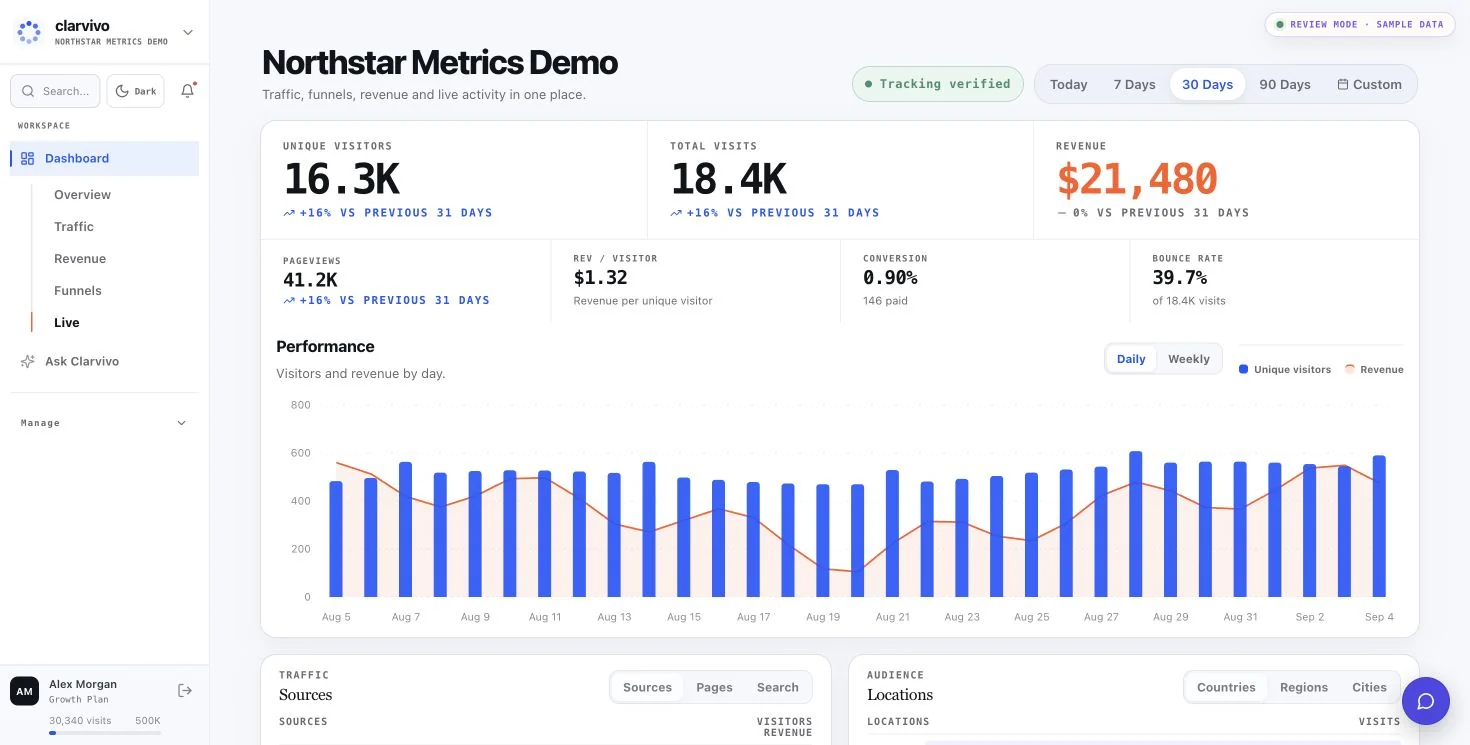
Google Analytics is free and powerful, with a strong Google Ads, Looker, and BigQuery ecosystem, but it can take substantial configuration to answer revenue questions. Clarvivo is a paid alternative that makes RPV the headline metric and records revenue through signed payment webhooks or supported integrations; attribution is conditional on carried context, and unmatched revenue remains Direct.
Why people look for a Google Analytics alternative
- GA4's broad reporting model can require custom explorations and configuration to answer focused revenue questions.
- GA4 uses first-party cookies and teams may need to assess consent and disclosure requirements for their jurisdiction and purposes.
- GA4 can report ecommerce revenue, but the relevant events, tags, and reports still need to be implemented for your checkout.
- Standard GA4 explorations can sample above 10 million events per query, while Clarvivo keeps raw event data on every plan.
Clarvivo vs GA4: feature by feature
An honest head-to-head comparison. Clarvivo wins in 10 categories, GA4 wins in 2, and 2 are ties or roughly equivalent.
| Feature | Clarvivo | GA4 |
|---|---|---|
| Setup by your coding agent (MCP) | Yes — an MCP server for Claude Code, Codex, Cursor, Windsurf and other MCP clients. It detects the stack, installs tracking, creates events and funnels, connects revenue attribution, reads Search Console and verifies that real traffic is arriving | No MCP server. Setup, events and conversions are configured by hand in the GA4 interface or through Google Tag Manager |
| Search, conversions and revenue in one view | Yes — traffic, Google Search Console, pages, conversions and attributed revenue on one dashboard | Search Console can be linked and ecommerce reporting exists, but the reports are separate surfaces and typically need configuration to answer a single question |
| Revenue Per Visitor as a default metric | Yes — on the main dashboard once payment gateway is connected | Not a default headline metric; revenue reporting requires ecommerce data and report configuration |
| Cookie-free tracking | Yes — API-based, no cookies (a first-party visitor ID is kept in localStorage) | Uses first-party cookies; consent and disclosure depend on jurisdiction and purpose |
| Real-time visitor feed | Yes — live stream with session details | Typically available within a few minutes, with a limited realtime report |
| Statistical traffic forecast | Yes — 7-day visitor forecast with OLS, weekly seasonality, and a confidence range | Predictive audience metrics (purchase/churn probability), but no traffic forecast |
| E-commerce integrations | WooCommerce plugin, manual Shopify Web Pixel, and signed payment webhooks | Supported through ecommerce events and implementation configuration |
| Google Search Console integration | Yes — organic keywords shown natively | Yes — native integration |
| Data retention | 3 years on every plan | Event and user detail: 2 or 14 months on Standard; up to 50 months on GA360 |
| Data sampling at high volume | No — raw data on every plan | Standard explorations sample above 10M events per query; GA360 offers on-request unsampled explorations |
| Price | $9/mo for Starter with 25K billable events/month after a 14-day free trial | Free (GA360 is a custom enterprise contract) |
| Integrations with Google Ads, Looker Studio | Not natively — CSV export | Native — deep integration across Google stack |
| Learning curve | Minutes — defaults surface the right metrics | Broad reporting surface; setup time depends on events, explorations, and integrations |
| Setup time | 2 lines of JS + payment gateway connection | GTM + data streams + event config + enhanced e-commerce |
Who should choose each tool?
Choose Clarvivo if…
- You want your coding agent to install and verify analytics through the MCP instead of configuring GA4 by hand.
- You want traffic, Search Console, conversions and revenue in one view rather than four separate reports.
- You've tried GA4 and given up before getting useful data out of it.
- You want a no-cookie implementation while still evaluating local-storage and consent requirements with counsel.
- You want real-time visitor activity and a built-in 7-day statistical visitor forecast.
- Your team is small and can't dedicate hours to analytics configuration.
- You want unsampled event data and an explicit Direct bucket instead of guessed acquisition sources.
Stick with GA4 if…
- You're deeply invested in the Google Ads + Looker Studio + BigQuery stack and need native integration across all of them.
- You're running a content/media site where pageview analytics is the primary need and you don't monetize via direct purchase.
- Your team already has a data engineer or analyst who can configure GTM, enhanced e-commerce, and custom reports.
- You need zero monthly cost and are willing to trade ease-of-use and privacy posture for that.
Pricing side by side
Clarvivo
Clarvivo meters events: pageviews + payments + goal conversions. Micro-events such as scroll depth are not billed.
- Starter · 25K events/month$9/mo
3 projects · 3 seats · 3-year data retention · annual $90/yr
- Starter · 100K events/month$19/mo
3 projects · 3 seats · 3-year data retention · annual $190/yr
- Starter · 500K events/month$49/mo
3 projects · 3 seats · 3-year data retention · annual $490/yr
- Starter · 1.5M events/month$99/mo
3 projects · 3 seats · 3-year data retention · annual $990/yr
- Growth · 25K events/month$19/mo
unlimited projects · 10 seats · 3-year data retention · annual $190/yr
- Growth · 100K events/month$39/mo
unlimited projects · 10 seats · 3-year data retention · annual $390/yr
- Growth · 500K events/month$89/mo
unlimited projects · 10 seats · 3-year data retention · annual $890/yr
- Growth · 1.5M events/month$179/mo
unlimited projects · 10 seats · 3-year data retention · annual $1,790/yr
Google Analytics
Google Analytics collects events; its published collection and exploration limits are stated in events.
- GA4 (free)$0
Free to collect · retention options of 2 or 14 months · explorations sample above 10M events per query
- GA360Custom — contact sales
Enterprise allowances, integrations, and support; Google does not publish a list price
GA4 pricing checked on 20 August 2026. Their pricing may have changed since — check GA4 pricing for the current figures.
Migrating from GA4
- What transfers
- Historical GA4 data does not transfer — both tools run in parallel during transition. Clarvivo begins collecting from the day the script is installed.
- What needs reconfiguration
- You'll reconfigure goals and conversion events in Clarvivo's Goals & Events interface. Existing UTM campaign links can continue to be used.
- How long it takes
- Install the Clarvivo script, recreate the goals you need, and run GA4 and Clarvivo side by side while you validate the new data.
Frequently asked questions
Is Clarvivo really cheaper than Google Analytics?
GA4 is free and Clarvivo starts at $9/month for Starter with 25K billable events (pageviews + payments + goal conversions). Every plan starts with a 14-day free trial. The honest answer: GA4 wins on price, while Clarvivo is built for faster setup, clarity, and revenue attribution.
Can Clarvivo replace Google Analytics completely?
For teams centered on web analytics and conditional revenue attribution, it can. If you rely on Google Ads activation, Looker Studio, BigQuery, cross-device modeling, or other GA4-specific workflows, keep GA4 in parallel and evaluate the gaps before switching.
Do I still need a cookie banner with Clarvivo?
That depends on your jurisdiction and your purposes, and we would be doing you a disservice by answering yes or no for you. Clarvivo sets no cookies, so there is nothing cookie-shaped to disclose — but it does keep a random first-party visitor ID in localStorage, and rules like the EU ePrivacy Directive cover storing information on a device generally rather than cookies specifically. Removing a consent banner is a decision for your counsel; what we guarantee is that our privacy policy tells them exactly what is stored.
How does Revenue Per Visitor (RPV) actually work?
Shopify Web Pixel and WooCommerce browser events include the current Clarvivo session. For payment webhooks, pass Clarvivo's UTM, visitor, or session identifiers through checkout; otherwise the payment is recorded as Direct rather than assigned a guessed source.
Will my site load slower with Clarvivo?
Clarvivo's tracking script is installed with two lines of JavaScript and loads asynchronously. Actual performance depends on your site and implementation, so measure it with your normal performance tooling during the trial.
What happens to historical data when I switch?
GA4 data stays in your Google Analytics account. Clarvivo starts collecting from the moment you install the script. Most teams run both in parallel for 30–60 days to validate data and then turn off GA4 for new reports (while keeping access to the historical account).
Related comparisons
Start your 14-day free trial
Install the two-line script, connect a payment provider or the Revenue API, and validate which payments carry usable attribution context during the trial.