
SaaS Analytics
See how people find, use, and pay for your SaaS
Bring traffic, search queries, product-interest events, and recorded payments into one connected view. Then give your coding agent the same context through Clarvivo MCP.
No card required. Cancel anytime.
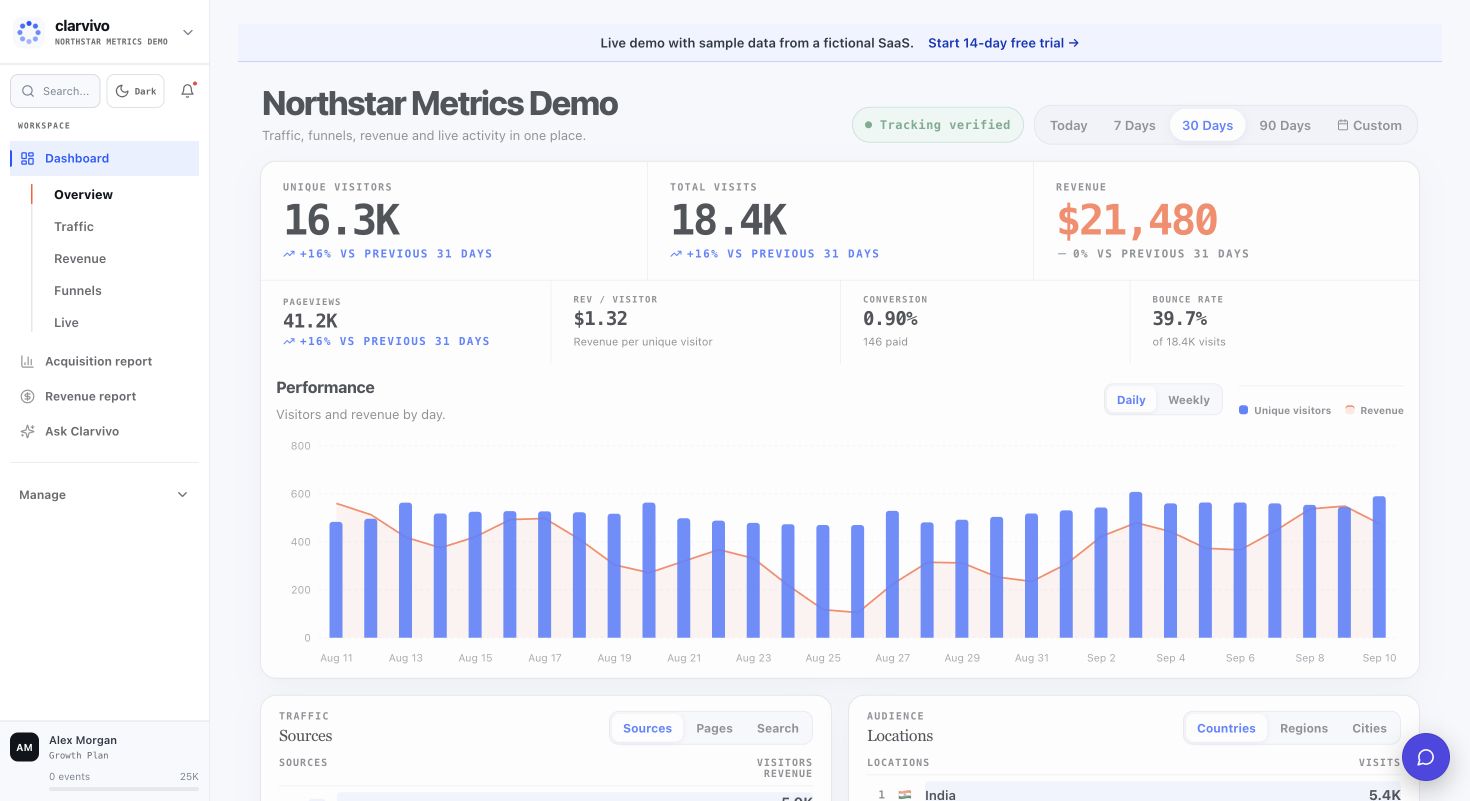
The growth questions founders need in one place
- Which searches, sources, and landing pages bring people with real intent?
- Where do visitors stop between the first page, signup, activation, and payment?
- Which acquisition work leads to recorded revenue — and which payments have no reliable source context?
- What changed this week, without rebuilding the same report across several tools?
- Can a coding agent work with the same business context instead of another disconnected export?
The Clarvivo view
How Clarvivo solves it
01. See the whole journey in one view
Keep traffic sources, landing pages, Search Console, conversion events, and recorded payments together. Start with the overview, then follow the signal that deserves attention.
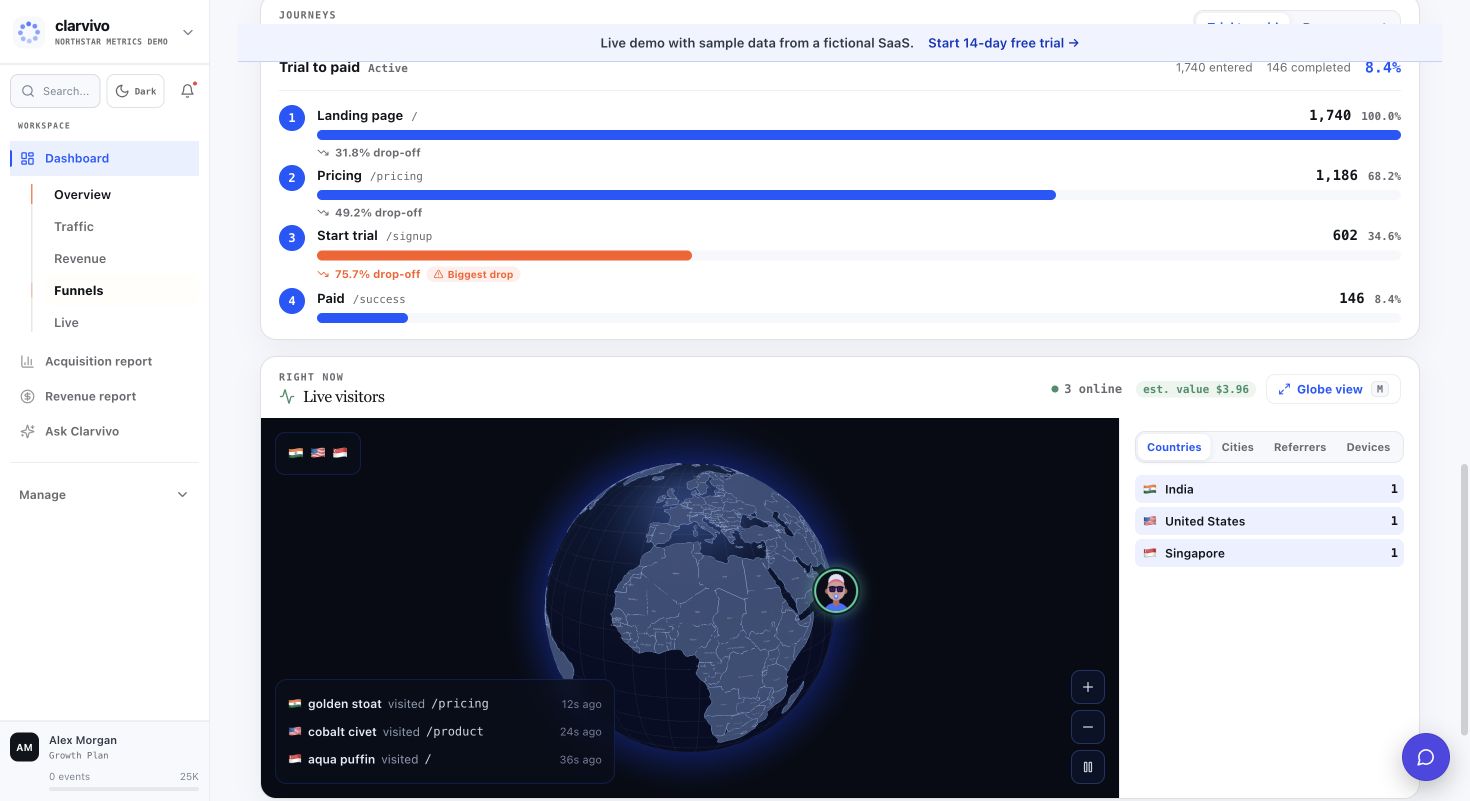
02. Find the step that loses momentum
Build funnels around signup, waitlist, demo, activation, checkout, or purchase events. See completion and drop-off at each step so the next fix is concrete.
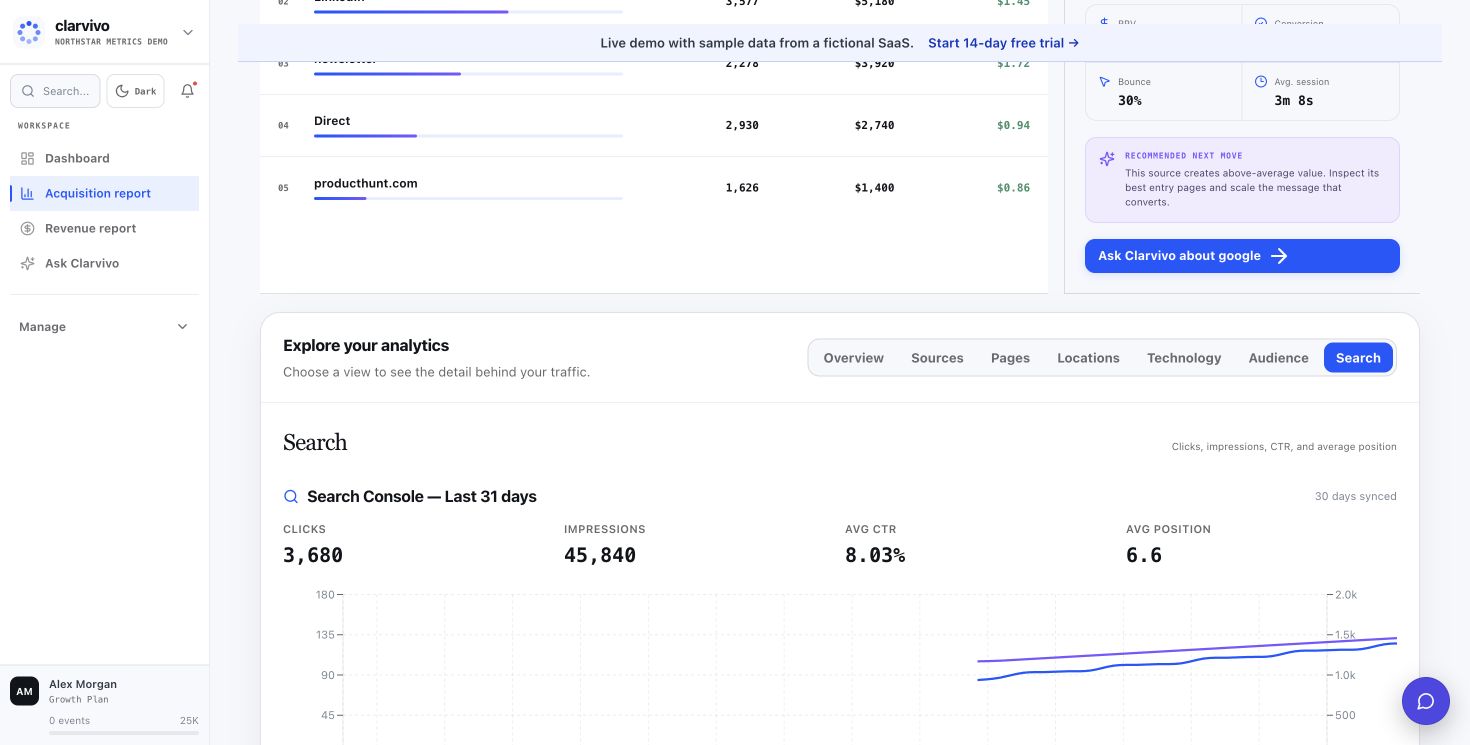
03. See what Google is already giving you
Connect Search Console to bring queries, clicks, impressions, positions, and landing-page performance next to your traffic and conversion data.
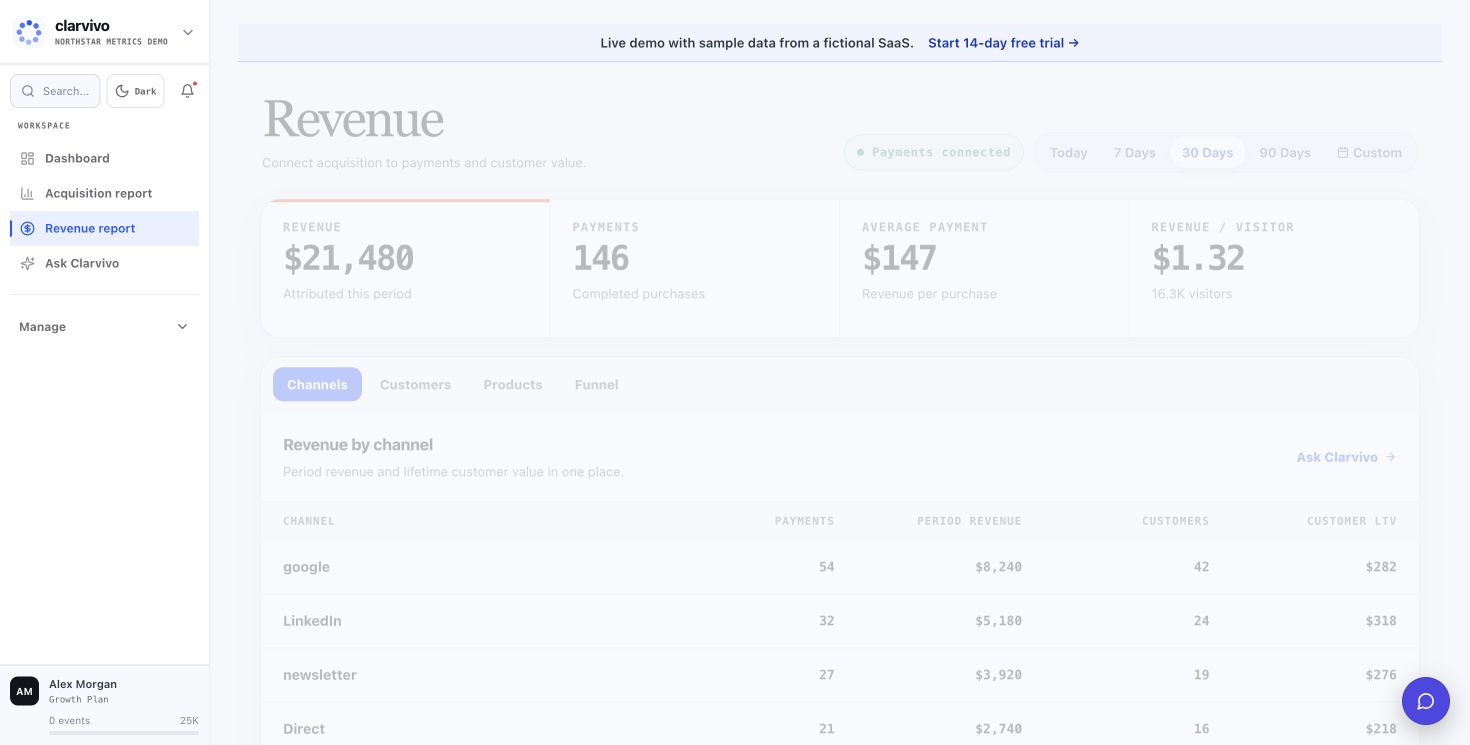
04. Connect growth to recorded payments honestly
Payments that carry Clarvivo visitor, session, or campaign context can be grouped by source. Payments without that context stay Direct instead of being assigned a guessed campaign.
05. Let your coding agent use the context
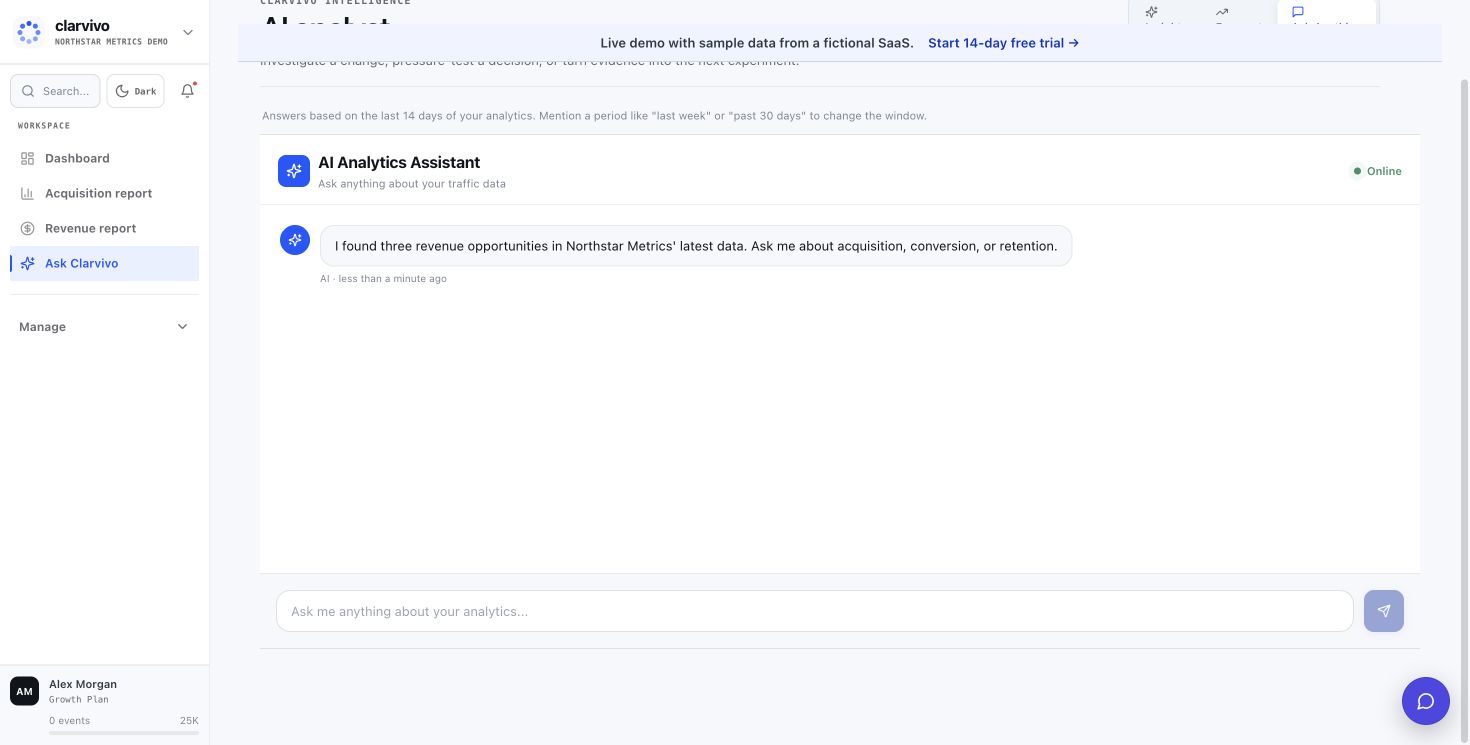
Use Clarvivo MCP with Claude Code, Codex, Cursor, Windsurf, or another MCP client. Your agent can help set up tracking, verify data, create events and funnels, and answer questions about what is happening.
Get moving
Your coding agent can help set Clarvivo up
Start with live traffic, then add conversions, search, and payments as your product grows.
- 1
Connect the Clarvivo MCP
Create a scoped Clarvivo token, add the MCP to Claude Code, Codex, Cursor, Windsurf, or another compatible client, and point it at this project.
- 2
Ask your agent to set up tracking
Tell it: “Set up Clarvivo for this project.” The MCP detects the stack, provides the right implementation path, and helps verify that real traffic arrives.
- 3
Track the actions that matter
Create events for signup, waitlist, demo, activation, checkout, or purchase, then build a funnel around the journey you want to improve.
- 4
Add Search Console and payments when ready
Connect Google Search Console and a supported payment provider. Revenue attribution appears when a payment carries Clarvivo context; unmatched payments remain Direct.
Recommended for saas analytics
Starter — From $9/mo for 25K events
3 projects, 3 seats, 3-year data retention, API access, and MCP. Billable events are pageviews + payments + goal conversions; micro-events are not billed.
Frequently asked questions
Is Clarvivo only another analytics dashboard?
No. The dashboard gives you a clear place to explore traffic, search, conversions, and payments. Clarvivo MCP also lets your coding agent help with setup, verification, events, funnels, and questions about the same data.
Can I track custom events like "trial activated"?
Yes. Call `clarvivo.track('trial_activated', { plan: 'growth', value: 19 })` anywhere the Clarvivo script is running. The event is recorded with that browser session's traffic context.
Does Clarvivo show MRR or just one-time revenue?
Clarvivo records both one-time and recurring payment events, including Stripe invoices, but the current dashboard reports recorded revenue rather than a dedicated normalized MRR metric.
What about B2B SaaS with a sales-assisted motion?
Clarvivo can track the marketing funnel from landing page to demo request. To include closed-won revenue, your backend can call the signed Revenue API with an external ID and the original UTM, visitor, or session identifiers. There is no native HubSpot, Pipedrive, or Zapier connector today.
Can my coding agent set Clarvivo up?
Yes. Give the agent the Clarvivo MCP and ask it to set up Clarvivo for the project. The agent makes the code changes while Clarvivo supplies stack-specific guidance and verifies that real data is arriving.
How do I handle visitors who complete signup on mobile but buy on desktop?
Clarvivo keeps first- and last-touch context in each browser and supports first- or last-touch reporting for browser e-commerce events. It does not automatically stitch two devices or offer multi-touch attribution today; a cross-device payment needs your backend to pass the appropriate Clarvivo attribution identifiers.
See how Clarvivo compares
Built for the way founders work now
Connect Clarvivo. Ask better growth questions.
Start your 14-day trial with no card, connect the MCP setup, and ask your coding agent about traffic, conversions, and payments in plain English. Starter is $9/month when you stay.